
Most small business owners have heard that AI can save time. Fewer know where to start. Should you subscribe to another AI tool, automate a workflow you already run, or hire a team to build something custom? Picking wrong means paying for software nobody uses, or a project that never reaches daily work.
This guide explains what AI services for small businesses actually include, which business problems each one solves, and how off-the-shelf tools compare with custom solutions. It also covers what drives AI implementation costs, how to run a first pilot, and how to evaluate an AI services provider before you sign.
The short answer to the main question: before investing in AI services, a small business should know which specific workflow it wants to improve, what data and systems that workflow depends on, and how it will measure success.
What Are AI Services for Small Businesses?
AI services for small businesses are professional services that help a company introduce, integrate, or build AI for specific tasks and workflows. A provider plans what to automate, connects AI to existing software, builds the solution, and supports it after launch.
That differs from buying an AI tool, which you subscribe to and set up yourself. A tool works when your need matches its design. A provider helps when the need is specific to your business:
● Finding where AI can realistically help
● Choosing between existing tools, automation, and custom AI
● Connecting AI to your CRM, accounting, or support systems
● Building, testing, and maintaining the solution
AI adoption is growing among smaller businesses. A 2025 OECD report, based on a survey of more than 5,000 small and medium-sized enterprises across seven countries, found that 31% were already using generative AI.
What Types of AI Services Can Small Businesses Use?
Small businesses can use six main types of AI services: AI consulting, workflow automation, chatbots and assistants, document processing, custom AI development, and AI integration.
The right choice depends on the business problem. For example, workflow automation helps with repetitive tasks, while custom AI development is useful when existing software cannot meet specific business requirements.
AI Consulting and Strategy
AI consulting for small businesses maps your workflows, checks feasibility against your data, ranks opportunities by effort and value, and produces a roadmap. Example: of 12 AI ideas, a review shows only three have clean enough data, and recommends starting with order enquiries. Best for: businesses unsure where AI fits.
AI Workflow Automation
AI automation for small businesses removes repetitive, rule-heavy work. Automation follows defined steps; AI handles judgement, such as reading an email to understand the request. Example: enquiries are classified, routed, and logged in the CRM automatically. Best for: high-volume tasks with clear steps. Common tools: Zapier, Make, n8n.
AI Chatbots and AI Assistants
Chatbots answer customer enquiries, capture lead details, and hand complex cases to staff. Internal assistants help employees find answers in approved documents.
Example: a website assistant answers availability questions after hours and books calls with qualified leads. See how Falcon Reality simplified demo bookings for CareUp.
Best for: teams answering the same questions repeatedly. Common tools: Intercom Fin, Tidio, ChatGPT-based assistants.
Example: a website assistant answers availability questions after hours and books calls with qualified leads. See how Falcon Reality simplified demo bookings for CareUp.
Best for: teams answering the same questions repeatedly. Common tools: Intercom Fin, Tidio, ChatGPT-based assistants.
Document Processing and Data Extraction
AI reads invoices, forms, contracts, and emails, then extracts the fields into your systems, with human review for low-confidence results.
Example: supplier invoices are matched to purchase orders and mismatches flagged. In a related project, Falcon Reality reduced contract drafting time for Howe Robinson Partners.
Best for: teams spending hours on data entry. Common tools: Nanonets, Microsoft AI Builder.
Example: supplier invoices are matched to purchase orders and mismatches flagged. In a related project, Falcon Reality reduced contract drafting time for Howe Robinson Partners.
Best for: teams spending hours on data entry. Common tools: Nanonets, Microsoft AI Builder.
Custom AI Development
Custom AI development builds an application around your requirements or data, such as demand forecasting or AI agents that complete multi-step tasks.
Example: a seasonal business forecasts stock from its own sales history.
Best for: specialised needs no product handles well.
Example: a seasonal business forecasts stock from its own sales history.
Best for: specialised needs no product handles well.
AI Integration and Business Process Automation
AI integration connects AI to your CRM, accounting, inventory, or helpdesk, so data flows without manual copying.
Example: a chatbot lead is scored, added to the CRM, assigned, and followed up automatically. Falcon Reality took a similar approach to bring CareUp's scattered revenue data into one dashboard. Best for: data spread across disconnected tools.
Example: a chatbot lead is scored, added to the CRM, assigned, and followed up automatically. Falcon Reality took a similar approach to bring CareUp's scattered revenue data into one dashboard. Best for: data spread across disconnected tools.
How Can AI Services Help a Small Business?
AI services help small businesses reduce repetitive admin work, handle enquiries faster, find company information easily, and organise data for better decisions. The value comes from fixing a specific bottleneck, not from using AI everywhere. In Salesforce's survey of 3,350 SMB leaders, most AI-using SMBs reported revenue gains, though this is a vendor survey and results vary.
Reduce Repetitive Administrative Work
AI solutions for small businesses can take over data entry, summaries, and routine follow-ups, so staff only review what AI flags as uncertain. An OECD survey found that 65% of small and medium-sized businesses using generative AI reported improved employee performance, while approximately 33% reported a reduction in workload. These are self-reported benefits, so businesses should still measure the results of their own AI projects.
Improve Customer Enquiry Management
AI can answer common questions instantly, collect key details, qualify leads, and route them to the right person. Staff focus on conversations likely to convert, while simple questions are answered at any hour.
Make Business Information Easier to Access
An internal assistant connected to approved documents lets staff ask questions in plain language and get answers with a source link. New hires ramp up faster, and senior staff are interrupted less.
Support Reporting and Decision-Making
AI can pull data from sales, operations, and finance systems, spot trends, and draft summaries. Decisions stay with the responsible people. Savings depend on your volumes and data quality, so measure them in a pilot rather than trust a generic percentage.
AI Tools vs. Custom AI Solutions: Which Does Your Business Need?
Use an off-the-shelf AI tool for common tasks, workflow automation for processes with clear steps, and custom AI for specialised needs or your own data. If you are unsure, start with AI consulting.
| Option | Best use case | Advantages | Limitations |
| Off-the-shelf AI tools | Writing, transcription, scheduling, basic chat | Fast, low upfront cost | Limited customisation and integration |
| Workflow automation | Repeatable processes across apps | Saves time on high-volume work | Breaks when processes are unclear |
| Custom AI solutions | Specialised needs, internal data | Fits your exact workflow | Higher cost, longer timeline, maintenance |
| AI consulting | Unsure where to start | Avoids wasted spend; gives a roadmap | Produces a plan, not a system |
Custom AI is not automatically better. A standard tool is usually cheaper and easier to maintain if it solves the problem. Fit matters more than sophistication: McKinsey's 2026 survey found only 37% of organisations attribute any EBIT impact to AI.
How Much Do AI Services Cost for Small Businesses?
The cost of AI services depends on scope, integrations, data quality, complexity, security needs, and testing. Budget for a one-time setup cost and ongoing running costs, and control spend with a small pilot on one workflow.
Factors That Affect AI Implementation Costs
● Scope: one workflow costs far less than several.
● Integrations: each connected system adds build and testing work.
● Data quality: messy data must be cleaned first.
● Complexity: configuring a platform is cheaper than building a custom model or agent.
● Security: sensitive data needs access controls and audit logs.
● Testing: consequential decisions need more testing and human review.
One-Time Development vs. Ongoing Costs
One-time costs cover discovery, development, integration, testing, and onboarding. Ongoing costs include subscriptions, usage-based AI or API fees, hosting, maintenance, and monitoring. Ask providers for both, and compare first-year totals.
How to Start With a Manageable Budget
Pick one measurable workflow, record how long it takes today, run a pilot, and compare results. Expand only when the pilot shows clear value.
How to Implement AI in a Small Business
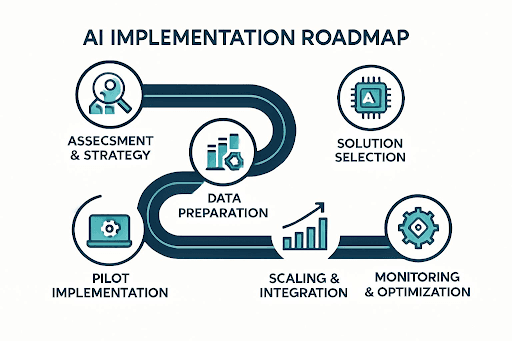
To implement AI in a small business, identify one repetitive workflow, assess its data and systems, choose the right solution, test it in a small pilot, then deploy, monitor, and improve before expanding.
Step 1 — Identify a Repetitive or Costly Workflow
Look for frequent, patterned work that takes staff time or causes errors, such as enquiries, document processing, or weekly reports. Record how long it takes now as your baseline.
Step 2 — Assess Your Data and Existing Systems
Find where the data lives, whether it is accurate, and which systems must connect. Data problems are cheaper to fix now than after launch.
Step 3 — Choose the Right Solution
Pick the simplest option that solves the problem reliably: an existing tool, rule-based automation, or custom AI.
Step 4 — Test With a Small Pilot
Define success measures such as time per task or error rate, test realistic and unusual cases, and keep human review where mistakes are costly. This step matters: many organisations use AI, but far fewer have scaled it into measurable results.
Step 5 — Deploy, Monitor, and Improve
Track performance, errors, adoption, and costs. Adjust based on staff feedback, and expand only when results are measurable.
How to Choose the Right AI Services Provider
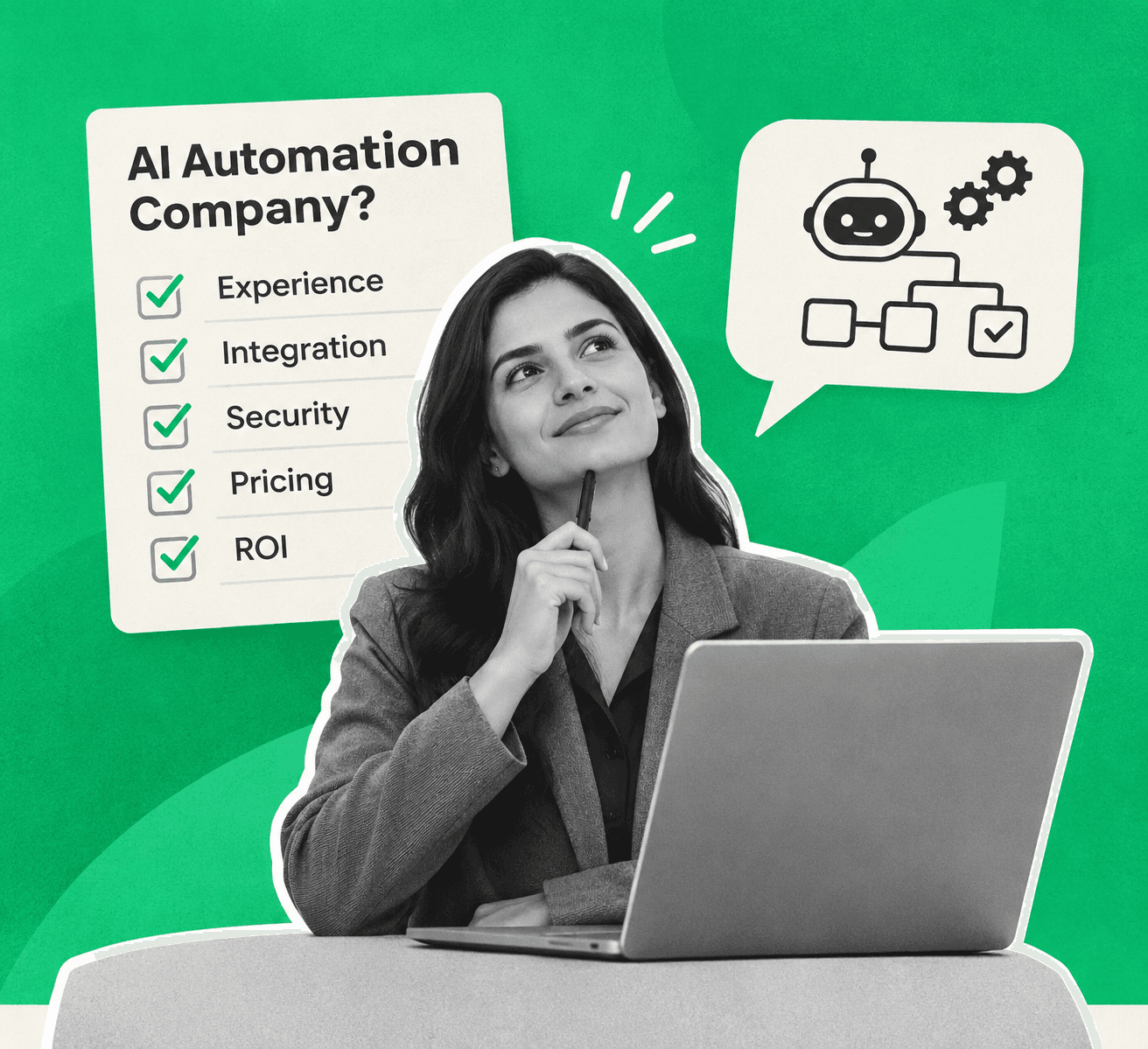
Choose an AI services provider that starts with your business problem, integrates with your existing software, explains how data is protected and when humans approve actions, and agrees success metrics and support terms upfront.
Understand Your Business Problem
A strong provider asks about your workflow, volumes, and goals before recommending technology. Be wary of anyone pitching a custom build in the first meeting without considering existing tools.
Check Integration Capabilities
Ask which of your systems the solution will connect to, and request examples of similar integrations. A solution that cannot use your CRM or accounting data creates extra manual work.
Evaluate Data Security and Human Oversight
Ask where data is stored, who can access it, whether it trains third-party models, and how outputs are tested. Confirm which actions need human approval. The NIST AI Risk Management Framework offers a useful checklist for governing, measuring, and managing AI risk.
Clarify Support and Success Metrics
Agree who maintains the solution, how issues are handled, what support costs, and which targets, such as hours saved per week, will be reported.
Questions to ask before you sign:
● What problem will this solve, and how will we measure it?
● Could an existing tool do this instead?
● Which of our systems will it connect to?
● How is our data stored, protected, and used?
● Where does a person approve of AI actions?
● What are the first-year one-time and ongoing costs?
● Who maintains it after launch?
What Are the Risks and Limitations of AI for Small Businesses?
The main risks of AI for small businesses are inaccurate outputs, poor data quality, privacy and security exposure, difficult integrations, low employee adoption, and usage costs that grow over time. Each can be managed with safeguards from the start.
● Inaccurate outputs: AI can give confident but wrong answers.
● Poor data: incomplete or outdated records produce poor results.
● Privacy and security: sensitive data can be exposed without access controls.
● Integration: older systems may be hard to connect.
● Adoption: staff ignore tools they do not trust.
● Ongoing costs: usage fees rise with volume.
The OECD found that SMEs worry about legal issues and what happens to data entered into AI models, yet a third or fewer train staff on how to use it. Regulators such as the ICO publish practical guidance on using AI with personal data.
Practical safeguards: use approved data, test and spot-check outputs, limit AI permissions, protect sensitive information, and keep human approval for payments, contracts, and customer commitments.
Find the Right AI Starting Point for Your Business
You do not need to automate everything at once. Start with one clear problem, choose the simplest solution that fixes it, and measure results before expanding.
Falcon Reality helps businesses across industries do exactly that, from AI strategy and workflow automation to chatbots, AI agents, integration, and predictive analytics, starting with your workflow rather than a technology pitch.
Not sure where AI fits into your business? Book a free consultation with Falcon Reality to explore practical AI opportunities and the right path to implementation.