
Developing an online course takes more than writing lessons. Training teams must organise source materials, define learning objectives, create presentations and assessments, and update content over time. AI course creation can reduce repetitive preparation work, but the resulting course still needs expert review.
This guide is for training providers, EdTech companies, and learning and development (L&D) teams. It explains how AI course creation works, which tools are available, what they cost, and how to choose the right approach.
What Is AI Course Creation?
AI course creation is the use of artificial intelligence to help plan, draft, assemble, and update educational or training materials. It can turn existing manuals, documents, and presentations into draft learning objectives, lesson plans, slides, quizzes, and handouts.
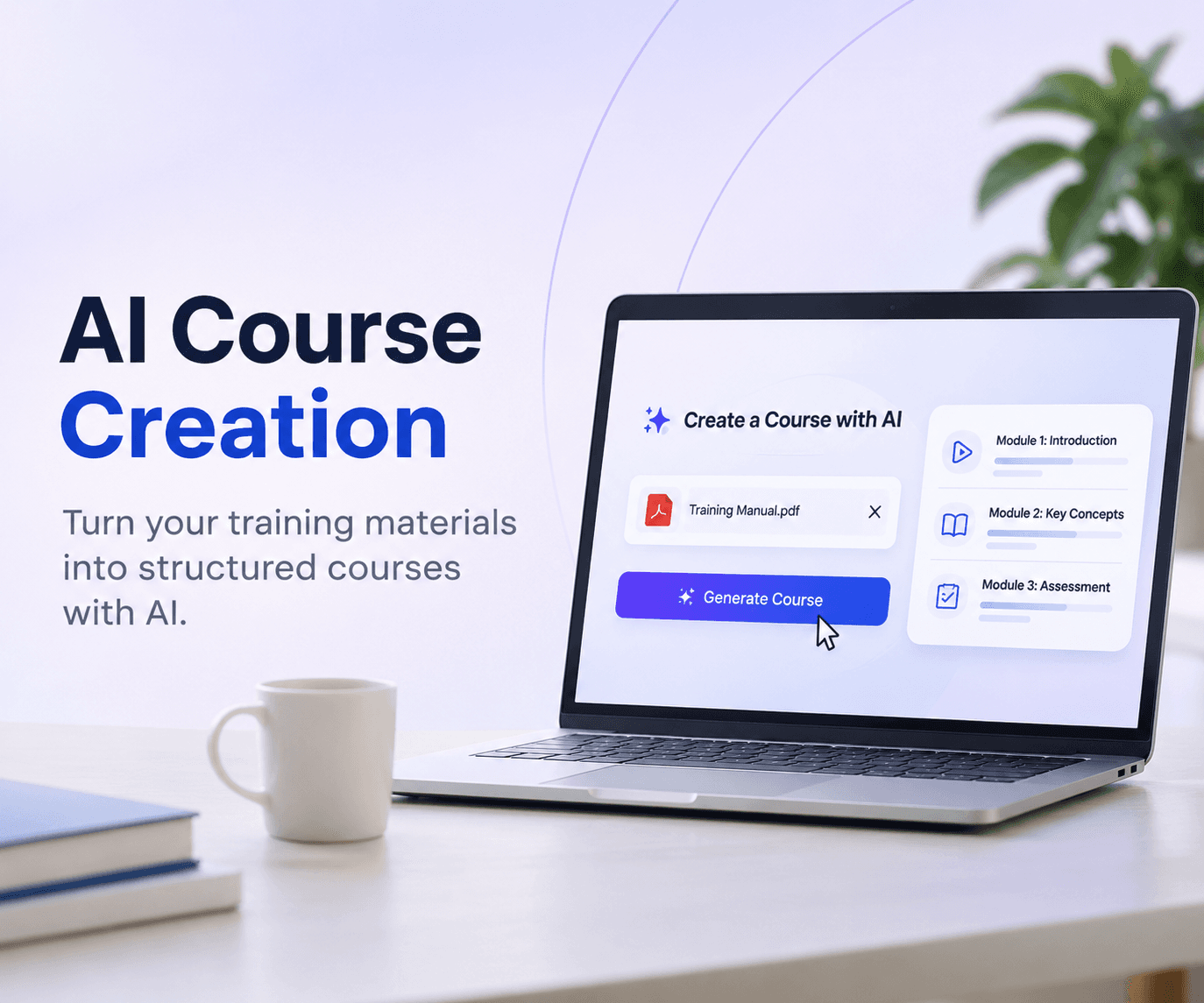
For example, a training provider could upload an approved technical manual and use AI to draft a course outline and assessments. An instructor would then check accuracy, improve the activities, and approve the materials before learners use them.
AI speeds up preparation; it does not guarantee that a course is accurate or effective.
How Does AI Course Creation Work?
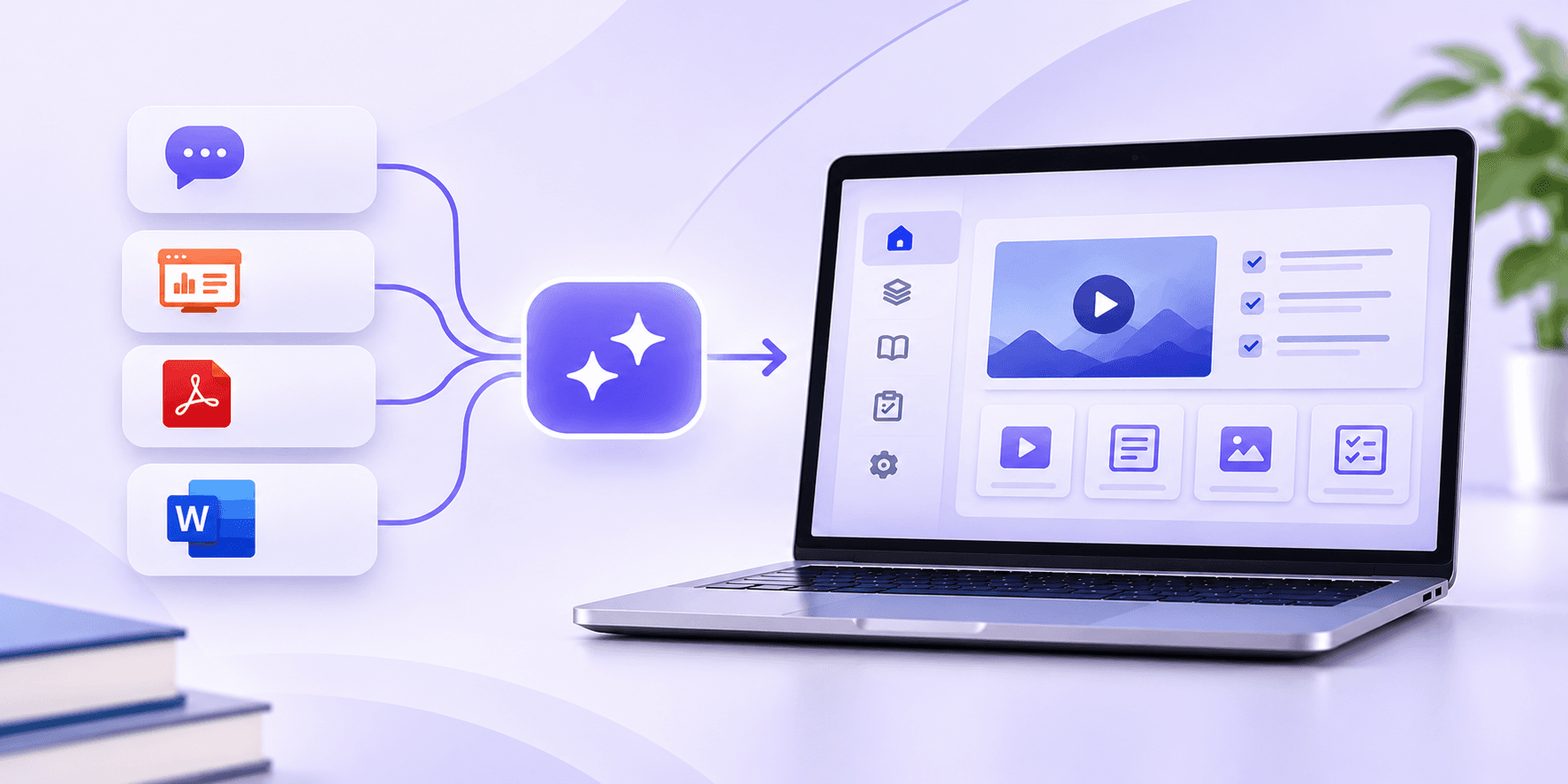
AI course creation typically combines existing training materials, learning objectives, AI content generation, and human review. The exact process depends on the tools and the complexity of the course. A practical workflow has six stages:
-
Define learning objectives. Specify what learners should know or be able to do.
-
Provide approved source materials. Use relevant manuals, policies, presentations, or other reference documents.
-
Generate a course outline. Have AI propose modules, lesson sequences, and activities.
-
Draft learning materials. Create initial lessons, slides, handouts, and assessment questions.
-
Review and test. Subject-matter experts check accuracy, while instructional designers assess learning quality and accessibility.
-
Publish and maintain. Upload approved content to a learning management system (LMS) or course platform, then update it as requirements change.
What Can You Create Using AI Course Creation Tools?
| Output | Practical use |
|---|---|
| Course outlines and lesson plans | Organise subjects into modules and measurable learning objectives |
| Lessons, slides, and handouts | Adapt approved source material into teaching content |
| Quizzes and knowledge checks | Create draft assessments for instructor review |
| Training videos and narration | Produce supporting media for online lessons |
| Course updates and translations | Rework existing materials when policies or learner needs change |
Important: AI-generated questions can be ambiguous, translations can mishandle technical terms, and videos may require accurate captions. Review the output according to its intended audience and subject matter.
A 2025 study in BMC Medical Education found that ChatGPT-4o-generated exam questions were easier than human-written ones, although they separated stronger and weaker candidates about as well. That is a reason to validate every AI-generated assessment before use.
Types of AI Course Creation Tools
Not every AI course creation tool performs the same function. Some help write lessons, while others generate structured courses, create videos, or manage the delivery of training. Understanding these differences helps organisations avoid paying for features they do not need.
| Tool category | What it helps with | Best suited for | Main limitation |
|---|---|---|---|
| General-purpose AI assistants | Outlines, lesson drafts, summaries, quiz ideas | Individuals and small teams | Course assembly and verification remain largely manual |
| Dedicated AI course generators | Structured lessons, assessments, course drafts | Training providers and course creators | Customisation and export options vary |
| AI video creation tools | Narration, presenter videos, training media | Teams producing video-based lessons | Do not necessarily build complete courses |
| LMS platforms with AI features | Course authoring, publishing, learner management | Organisations delivering ongoing training | AI capabilities vary by platform and plan |
| Custom AI solutions | Workflows built around existing content and systems | Organisations with specialised requirements | Requires implementation, testing, and maintenance |
Popular AI Course Creation Tools
Several products support different parts of course development.
• ChatGPT: Can assist with course outlines, lesson drafts, examples, and assessment ideas. Course validation and publishing require additional work.
• Coursebox: Focuses on AI-assisted course generation from prompts or source materials.
• Mindsmith: Supports AI-assisted lesson authoring and interactive learning content.
• Articulate 360: Provides professional eLearning authoring capabilities with AI-assisted features.
• Synthesia: Supports AI-generated presenter videos and narration for training content.
• LearnWorlds: Combines online course delivery with course creation and AI-assisted features.
These tools are not interchangeable. For example, a video generator may help produce a lesson but may not manage learner progress or assessments. Before choosing a tool, verify its current features, pricing, supported languages, content ownership terms, and compatibility with your LMS.
What Are the Benefits of AI Course Creation?
• Less manual preparation: Draft outlines, explanations, and assessments more quickly.
• Faster updates: Revise training materials when the underlying source documents change.
• More consistent formatting: Reuse templates across instructors and courses.
• Better use of existing content: Convert manuals and presentations into materials learners can use.
• More time for teaching quality: Let experts focus on examples, practice activities, and feedback.
Measure the outcome using total hours per approved course, number of corrections, cost per approved course, and learner assessment results, not AI generation speed alone. Articulate has reported up to 9× faster course building with its AI Assistant, but that is a vendor claim and should not be assumed to apply to every complete review-and-publishing workflow.
How Much Does AI Course Creation Cost?
Costs depend on software subscriptions, AI usage, instructional-design time, expert review, publishing requirements, and maintenance. The subscription is only one part of the cost of delivering an approved course.
AI Course Creation Tool Pricing Examples
Prices below are as listed on each vendor's website on 23 November 2026, in USD. Prices, regional taxes, plan limits, and billing terms may change.
| Plan | Advertised price | Billing detail |
|---|---|---|
| Mindsmith Free | $0 | 450 one-time AI credits at sign-up |
| Mindsmith Professional | $39 per author per month | Billed annually ($468 per year) |
| Mindsmith Business | $65 per author per month | Billed annually ($780 per year) |
| Articulate 360 AI | $1,749 per seat per year | Annual subscription |
Sources: Mindsmith pricing and Articulate pricing.
Other products, including Coursebox and Synthesia, offer free and paid options with varying limits. For example, Coursebox's plan comparison shows that course export (PDF, HTML or SCORM) is not included in its free plan, and Synthesia publishes tiered plans from a free Basic plan up to Enterprise. Check current pricing and required features directly before buying.
AI Course Creation Tools vs. Custom AI Solutions
Ready-made AI course creation tools help generate lessons, quizzes, and training materials quickly. However, businesses with specialised requirements may need more than a standard tool.
Custom AI solutions go beyond content generation. They can automate the entire course-development workflow, work with internal training materials, integrate with existing systems, and support organisation-specific requirements.
How Do Custom AI Solutions Offer More Flexibility?
- Work with existing materials: Generate courses using internal manuals, policies, technical documents, and approved training content.
- Automate multiple tasks: Connect course planning, slide creation, assessments, and handout generation in one workflow.
- Integrate with existing systems: Connect with an organisation's LMS, document repositories, and other internal platforms.
- Support industry-specific requirements: Build workflows around specialised training standards, formats, and approval processes.
- Maintain consistency: Use standardised templates and workflows across multiple courses while allowing instructors to review the output.
Ready-Made AI Tools vs. Custom AI Solutions
| Consideration | Ready-Made AI Tools | Custom AI Solutions |
|---|---|---|
| Course creation | Standard features and templates | Tailored to specific training needs |
| Source materials | Limited by supported formats and features | Can be designed for specialised internal documents |
| Workflow automation | Primarily available built-in features | Can connect multiple course-development tasks |
| Integration | Depends on supported integrations | Built around existing business systems |
| Content control | Based on vendor capabilities and policies | Greater control over workflows and data handling |
| Scalability | Depends on plan limits and platform features | Can be designed for repeatable, high-volume workflows |
| Cost | Usually lower upfront | Higher initial investment, with potential long-term efficiency gains |
When Should Businesses Consider Custom AI Course Creation?
Custom AI is particularly useful for training providers, EdTech companies, and organisations that regularly create courses from complex documentation or need to follow specific training standards.
For example, in Falcon Reality's EduFlow project, a custom AI platform was developed to generate maritime course plans, presentation slides, and student handouts aligned with IMO model courses. Falcon Reality reports that this reduced course preparation time from over 80 hours to approximately 2 hours.
The key difference: Ready-made tools help create course content, while custom AI solutions can automate how an organisation develops, reviews, and manages that content across its existing workflows.
Businesses with simple course creation needs may find ready-made tools sufficient. But when training involves specialised requirements, repetitive processes, or multiple systems, a custom AI solution can offer a more tailored approach.
What Are the Risks of AI-Generated Courses?
| Risk | Practical safeguard |
|---|---|
| Incorrect or invented information | Ground drafts in approved sources and require expert review; see the US National Institute of Standards and Technology's generative AI risk guidance (NIST AI 600-1) |
| Weak learning design | Match activities and assessments to measurable learning objectives |
| Copyright or licensing issues | Confirm permission to use source material and understand output rights; note that US Copyright Office guidance applies only in the United States |
| Confidential or personal data exposure | Review vendor access, retention, and security policies before uploading internal files |
| Accessibility gaps | Check captions, image descriptions, reading order, and keyboard access against the Web Content Accessibility Guidelines (WCAG) |
| Outdated training content | Establish ownership and a process for scheduled source and course updates |
AI should support instructors and instructional designers, not replace their accountability for what learners are taught.
How to Implement AI Course Creation: 7 Steps
-
Select a pilot: Choose one repetitive course-development task rather than automating everything.
-
Establish a baseline: Record current preparation time, review time, cost, and quality issues.
-
Prepare source materials: Confirm documents are complete, current, and approved.
-
Choose a tool: Test output quality, privacy controls, and LMS compatibility.
-
Create a pilot module: Generate a small course or module and have experts review it.
-
Measure results: Compare approved-course cost, error rates, effort, and learner feedback with the baseline.
-
Expand only if justified: Improve the workflow before applying it to more courses.
When evaluating a provider, ask whether it can process your document formats, integrate with your LMS, support human approval, protect source data, and demonstrate measurable results. See our AI automation provider selection checklist.
Conclusion: Choosing the Right AI Course Creation Approach
AI course creation can shorten repetitive course preparation and make existing training materials easier to reuse. The right approach depends on course complexity, existing systems, and the amount of expert review required. Start with one workflow, measure the cost and quality of the approved result, and expand only when it works reliably.
For specialised training-content processes, Falcon Reality helps EdTech and training teams design and implement AI workflows. Talk to Falcon Reality about your course-development requirements.